Portal Vision turns the cameras you already have into a counter with a live dashboard: people and vehicles, occupancy, footfall, heat maps, zones and traffic. For gyms, stores, residential buildings and parking lots. Download it, set it up yourself and try it for 14 days.
No credit card for the trial. No turnstile, no app for your customers, no face recognition: it counts silhouettes, not identified people.
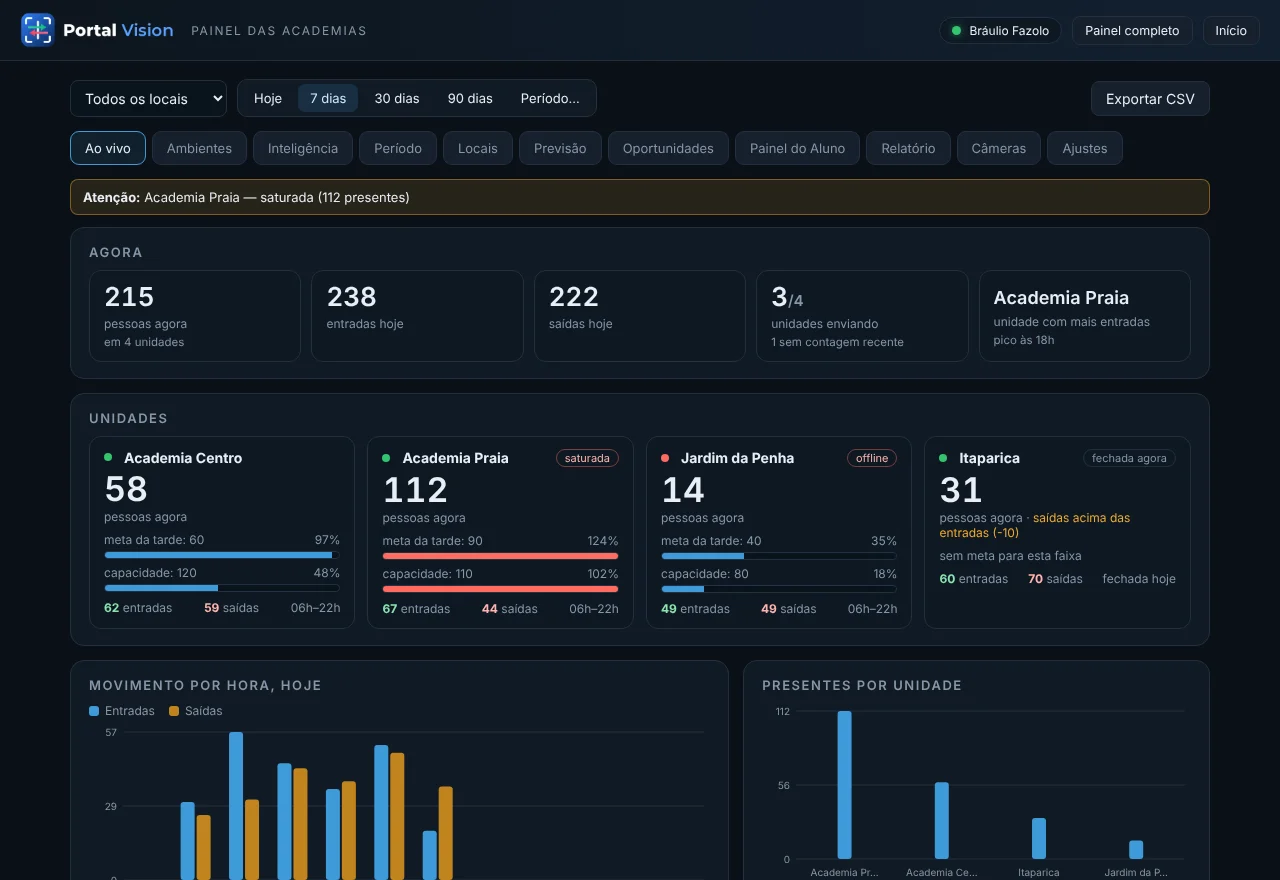
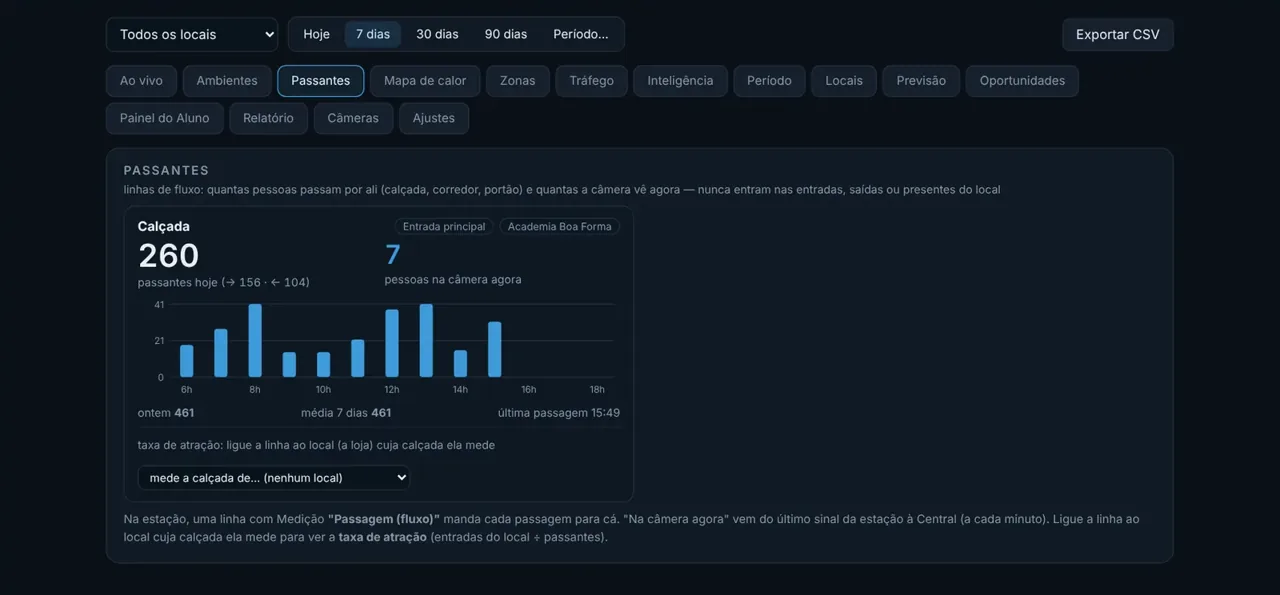
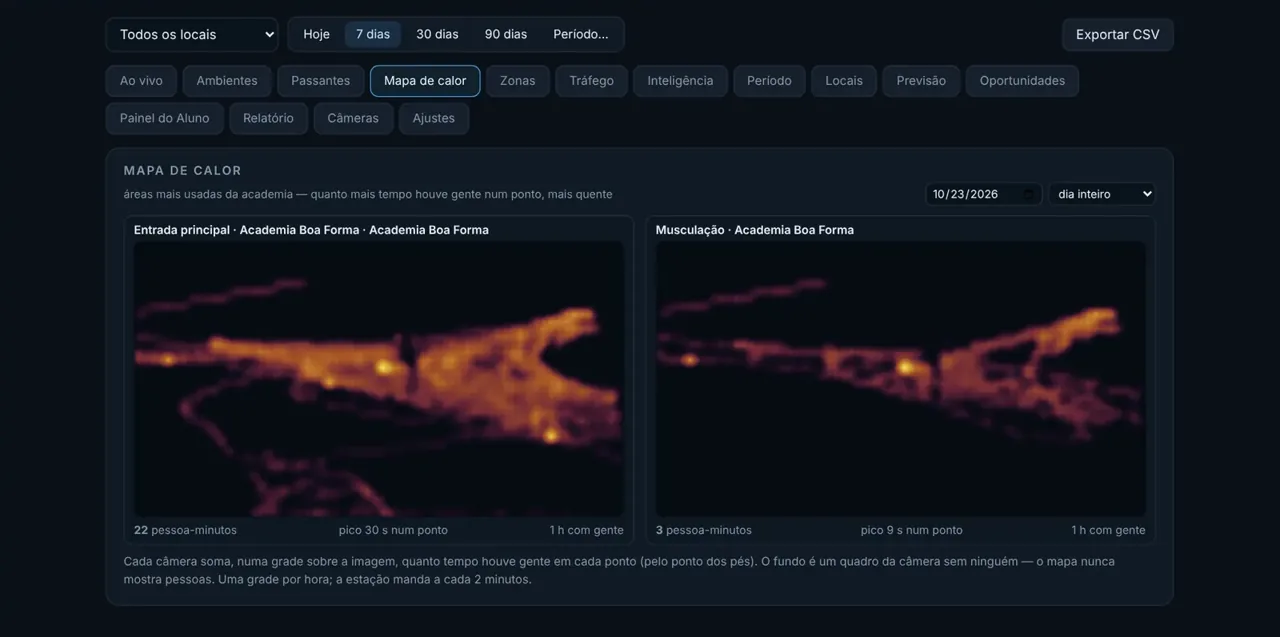
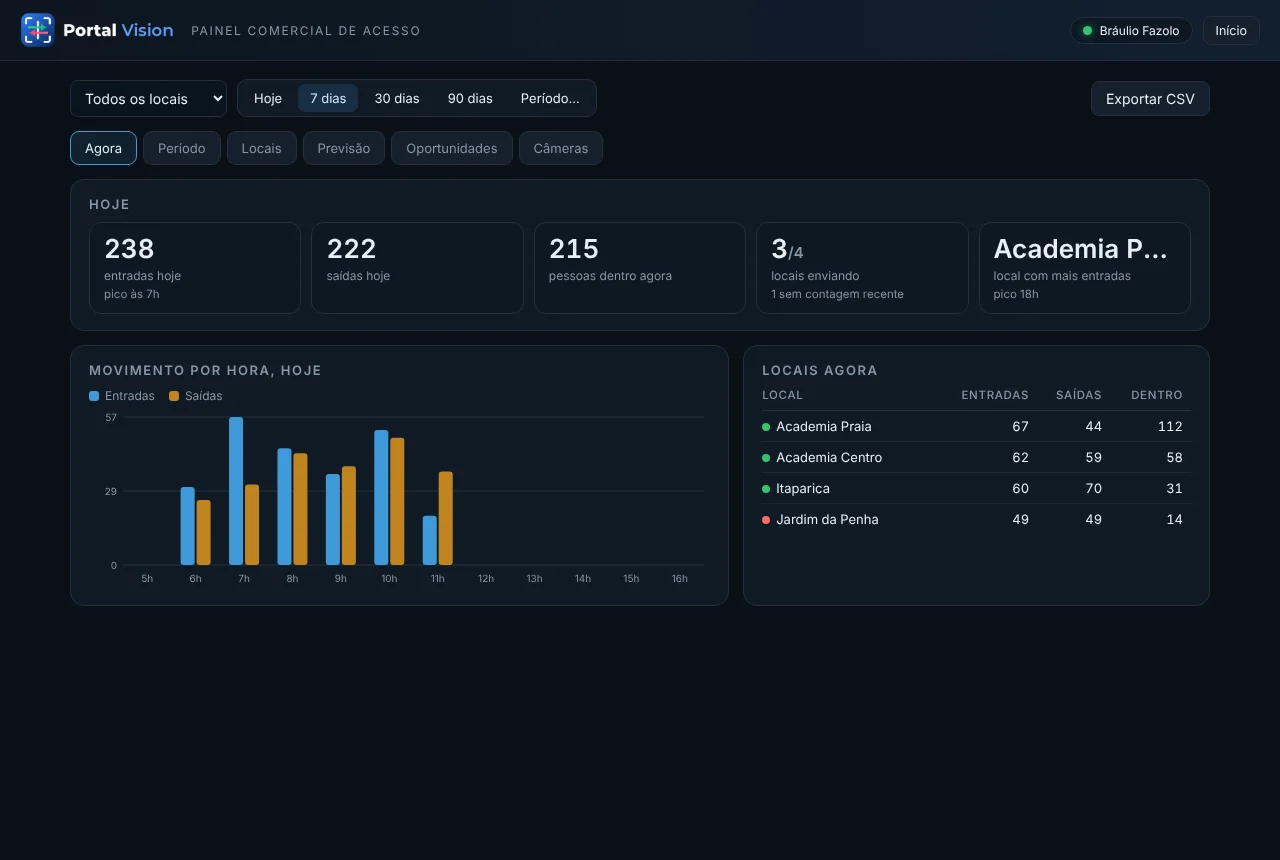
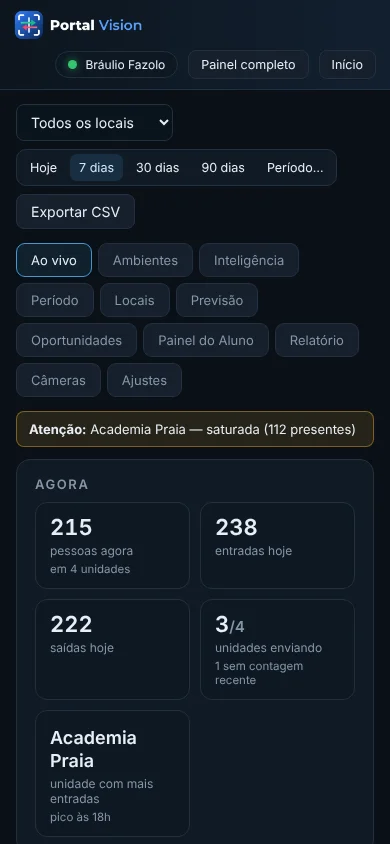
Every number below comes from the real dashboard, not a mock-up. Click to see the screen.
How many people are inside this minute, the shift target, the capacity, and an alert when it fills up — “Beach gym saturated, 112 present”.
A passage line in front of the store counts footfall per hour and per direction; compared with entries, it gives your capture rate — how many of those who pass by come in.
Over an empty frame of the camera, the busiest areas glow: the aisle everyone uses, the shelf nobody looks at, the machine that is always taken. By day and by time band.
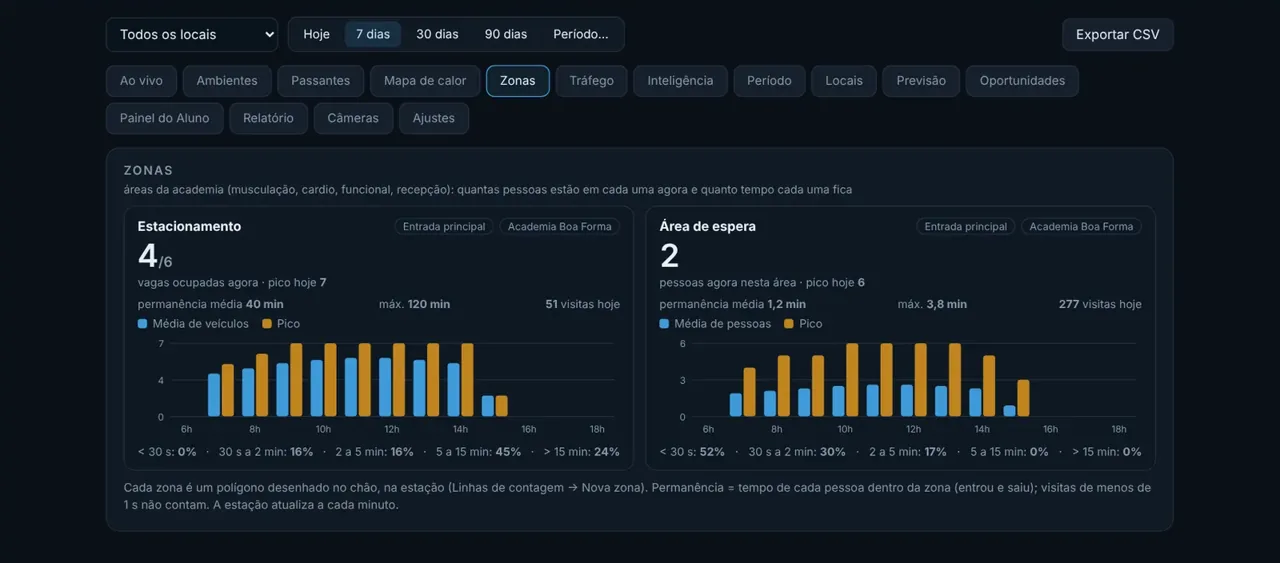
Draw an area on the image — the checkout, the front desk, the spinning room — and know how many people are in it now, the peak, how long each one stays and how many visits per hour.
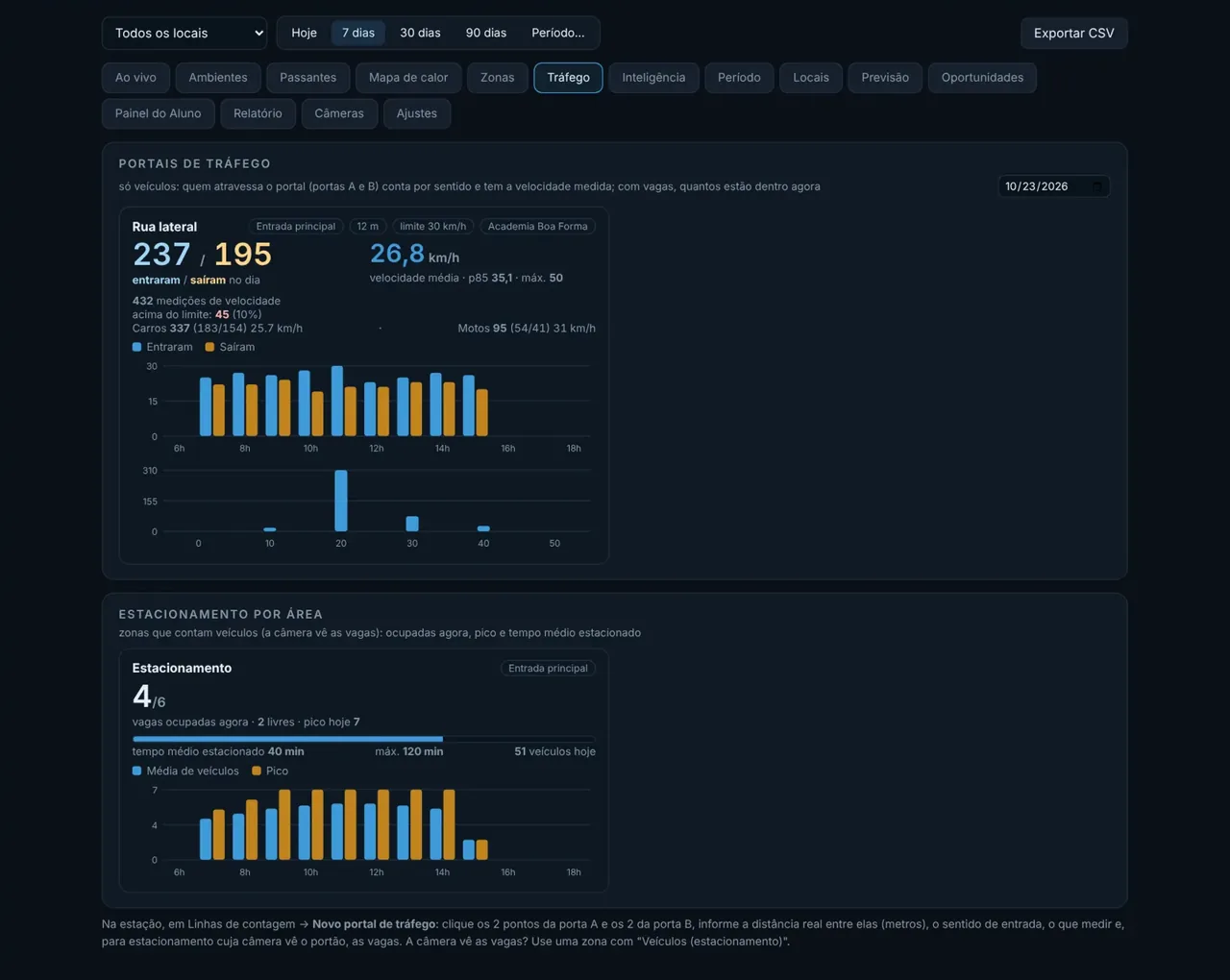
A gate on the road counts cars, motorcycles, buses and trucks per direction, measures the speed of each one and, at an entrance, how many are inside and how many spaces are left. Vehicle zones show occupied spaces per area.
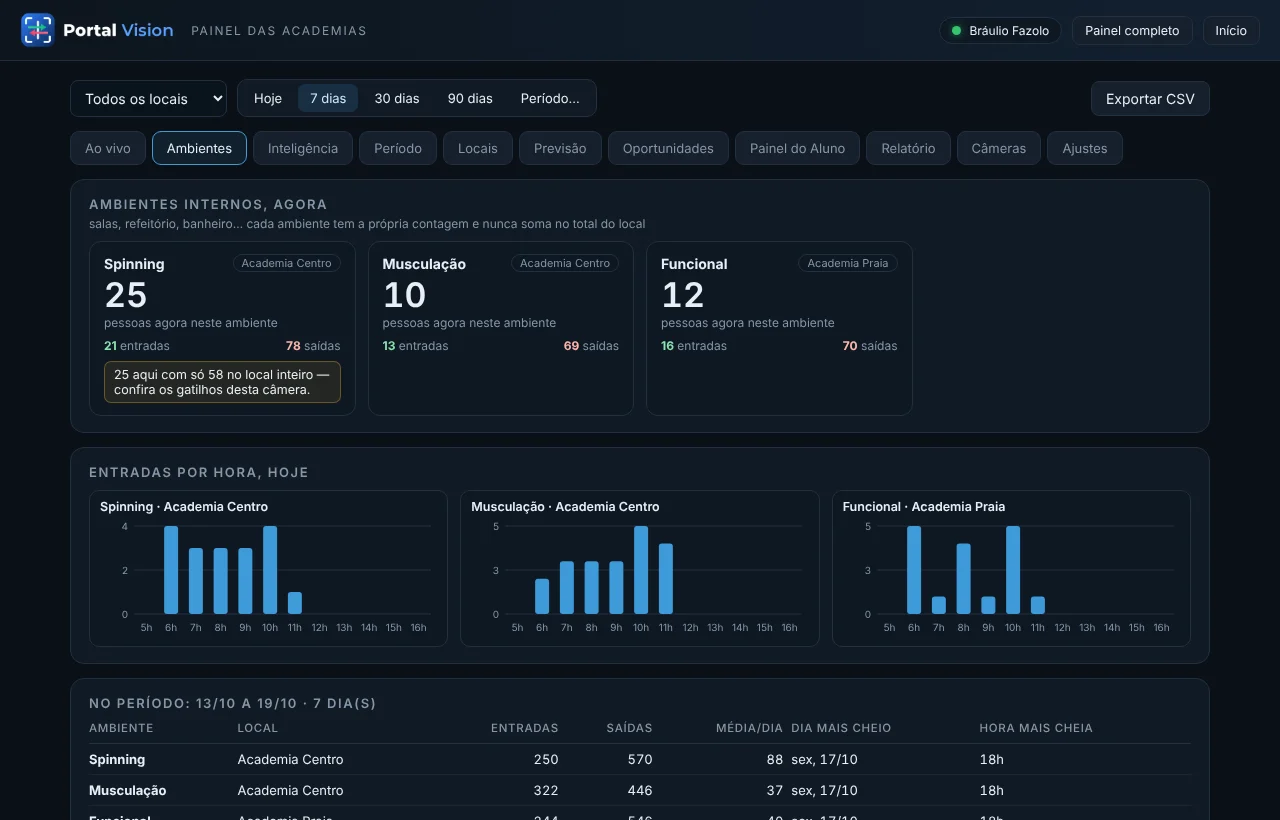
Spinning, weights, martial arts room: how many people in each room, so you know what is full and what is empty.
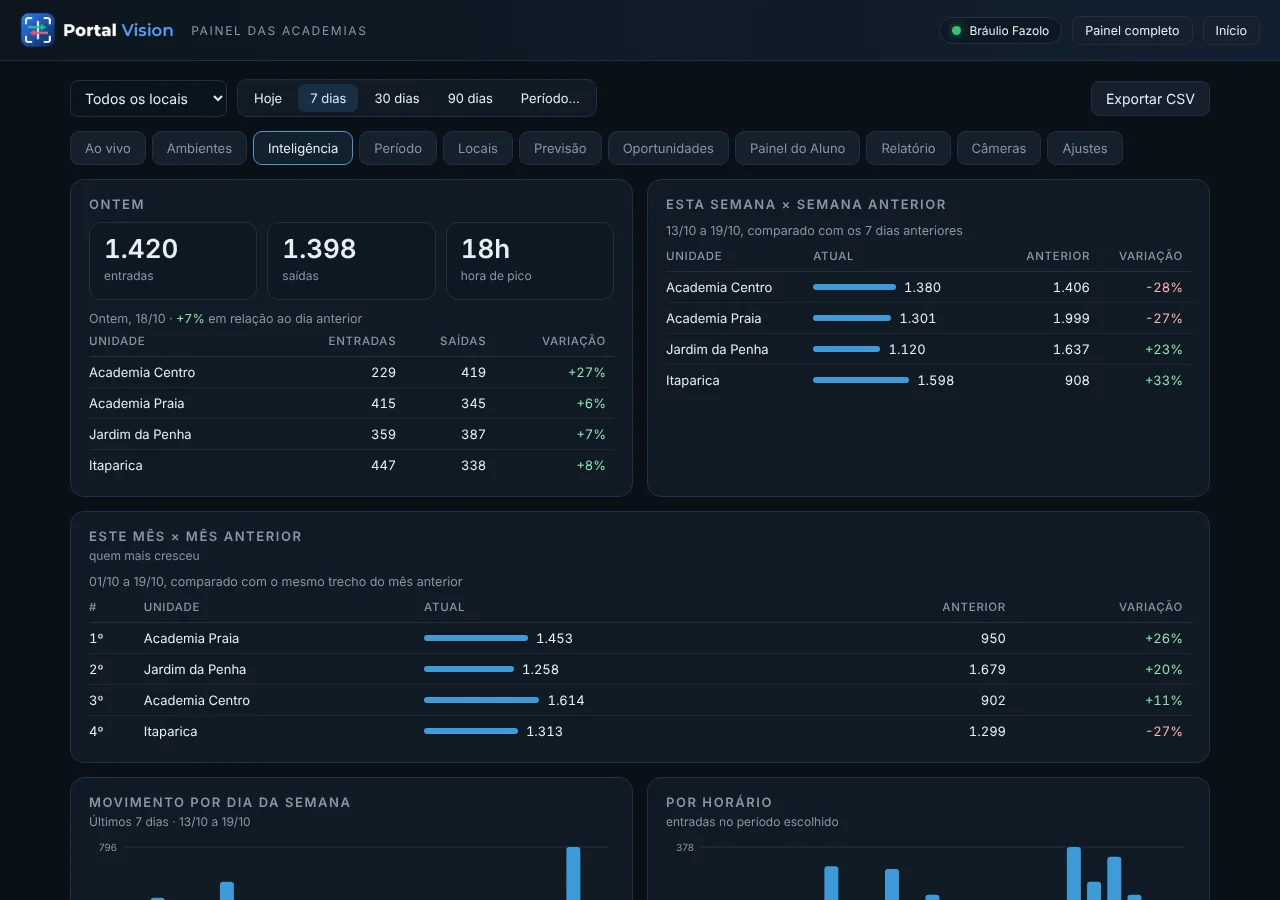
Yesterday against last week, this month against the last, hour-by-hour traffic. You schedule staff and run promotions at the right time.
For retail and residential: entries per hour, average time inside, tomorrow's forecast and the days that break the pattern.
Each camera can have several at once. You draw with the mouse, on top of the video, and the measurement starts immediately.
Live occupancy, shift targets, capacity, rooms and a heat map of the equipment. Show members the quietest hour and take the “it's packed” off the front desk.
How many pass by, how many come in, how long they stay, where they stop and which hour sells most. Compare stores, campaigns and weekdays with numbers, not impressions.
Gate, party room, pool, garage: people and vehicles per hour, spaces left right now, without registering anyone. A monthly report ready for the board.
The same camera and the same counting line work for people, vehicles and animals — you choose what to count on each camera, with entries and exits kept apart.
Each camera can count more than one type at a time (a truck counts under “trucks” and under “vehicles”), and each type has its own dashboard and report.
Three parts, installed in an afternoon. Most of it is done remotely, through our platform.
Any IP camera or DVR with RTSP (Hikvision, Dahua, Axis, TP-Link, Reolink…) pointed at the door, the storefront or the road. No special camera, no turnstile sensor.
A Portal Vision program runs on a computer at the site and measures what you drew on the image: lines, zones, gates. It keeps counting without internet and sends the data later.
Live, history, targets, forecast and PDF reports — on the front-desk computer, on a TV or on your phone. One login for all your sites.
Visitors, trial members, couriers, companions: everyone counts. It is the real number of people in the space.
The detector sees silhouettes, not faces. It stores no images of people, reads no license plates and builds no records — GDPR-friendly by design.
Counts live on your server or ours. Export to CSV whenever you like; nothing is locked in.
We link the station to your account with a 6-letter code, fine-tune the camera and push updates from our control center — no site visit.
The station stores the counts and sends them when the connection is back, with the exact time of each crossing.
Gym or store chain: compare sites side by side and give each manager access to their site only.
SubscribeOutside Brazil: card payment in US dollars. Write to us and we set up your account and license the same day.
⚠ Store in test mode: no charge is real right now.
The more cameras, the lower the price of each one — in progressive tiers, like income tax brackets: the first ones cost full price, the next ones less and less.
Do you install cameras or serve gyms and stores? Resell Portal Vision: partner pricing, your customers in your dashboard, licenses you activate yourself — or billing through the platform with your margin on the statement.
Install it on a PC on the same network as the cameras (Windows 10 or 11), add the camera and draw the line: the program counts for 14 days with no license, no credit card and no sign-up. Like it? Subscribe, type the link code you receive by e-mail and everything carries on from where it was — counts, cameras and lines stay.
After the 14 days without a subscription the program simply stops counting; nothing is charged.
Looking for the latest version…
Yes, if it streams video over RTSP — which is the case for virtually every IP camera and DVR/NVR (Hikvision, Dahua, Axis, TP-Link, Reolink, Uniview…). Wi-Fi-only “app cameras” without RTSP won't do.
No. An ordinary PC (Windows 10 or 11) on the same network as the cameras handles several cameras at once; how many depends on the processor. Without a graphics card, 4 to 6 cameras; with an NVIDIA card, many more.
With the camera well placed (from above, looking at the line head-on) counting accuracy is above 95%. The station shows the live count over the video, so you can check in a minute and adjust the line.
The program detects silhouettes and stores only numbers. There is no face recognition, no license-plate reading, and no image of any person leaves the computer — the heat map uses an empty frame of the camera. The Privacy Policy explains everything.
The website, the Terms, the Privacy Policy and the Station program (the one that runs on your computer, Settings → Language) are in English. The web dashboard is being translated and is currently in Portuguese; your subscription switches to it automatically when it ships.
Per camera, per month (or per year with a discount), with a minimum per site, in US dollars by card. For now you write to us and we set up your account, license and card payment the same day; online checkout is coming soon. Cancel anytime: it stays valid until the end of the paid period.
Download the program, connect the first camera following the guide and try it for 14 days. To keep going, write to us: access, link code and license arrive the same day. In less than an hour the count is on your dashboard.
Any questions? WhatsApp +55 27 99292-6778 · [email protected]